Licensed editorial adaptation
Adapted and localized by the ZWCNC Editorial Team from licensed technical material. The source record is published for traceability.
Technical boundary: confirm machine-specific capacity, configuration and safety requirements against the current quotation, manual and application review.
Walk into any hobbyist makerspace, and you’ll see someone staring at a laser tube as if it were a magic wand that could bypass the laws of physics. They have a piece of three-quarter-inch oak and a 40-watt desktop machine, expecting the “beam of light” to glide through the wood like a hot wire through butter. Ten minutes later, the room is full of acrid smoke, the wood has been charred into a blackened ruin, and the cut still has not reached the halfway mark.
The mistake is fundamental: they think they bought a saw.
A saw is a mechanical engine designed to trade torque for friction. A laser is a thermal engine designed to trade light for phase changes. If you treat the laser like a sophisticated jigsaw, you’ll spend your time fighting the material chemistry instead of using it. To master this machine, you have to stop thinking about “cutting” and start thinking about managed combustion.
Related: Laser Cutting Machine Benefits Guide
The Precision Paradox: Why a Laser Is a Scalpel, Not a Saw
Challenging the “Power” Myth: Why Finesse Matters More Than Brute Force
A 100-watt CO2 laser tube is a formidable piece of glass, but in terms of raw energy, it is weaker than a bright incandescent light bulb. If you tried to use 100 watts of mechanical force to push a blade through a sheet of plywood, the motor would stall before the teeth even bit into the grain. The laser’s “power” is not about the total amount of energy it generates, but about the alarming density of that energy when it is focused down to a spot the size of a human hair.
When that concentrated light hits a surface, it does not push the material out of the way; it raises the temperature so quickly that the solid material skips the liquid phase and turns directly into gas. This is sublimation. Because there is no physical contact and no blade to dull, the laser can navigate intricate geometries—tight radii, internal corners, and lace-like patterns—that would shatter under the lateral pressure of a mechanical bit. You are not winning the battle with strength; you are winning by being so fast and so focused that the surrounding material does not even have time to heat up.
Why does a 500-watt industrial laser struggle with a thick plank of wood that a hand-cranked ripsaw handles with ease?
Vector vs. Raster: The Digital Logic That Dictates Your Material’s Fate
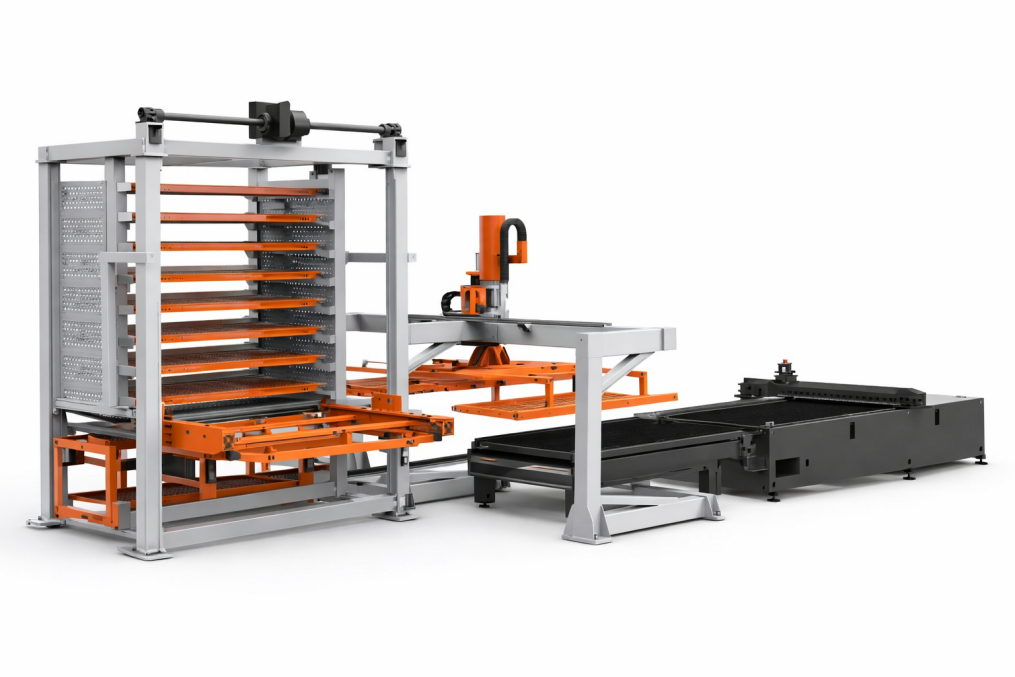
To the laser, your design file is not a “picture,” but a set of instructions for moving its mirrors. If you send the machine a vector file—a series of mathematical paths—it follows those lines continuously, like a pen drawing on paper. This is how clean, structural cuts are achieved. But if you send it a raster file, such as a JPEG, the machine head moves rapidly back and forth, firing the laser in tiny pulses to create dots, much like an inkjet printer.
The logic you choose changes the thermal load on the material. A vector path delivers a steady, intense stream of heat into a single line, which is ideal for separation but risky for thin plastics that might melt and fuse back together. Rastering spreads that heat over a larger surface area, allowing delicate engraving without warping the substrate. Beginners often try to “cut” shapes with high-power rastering because they do not understand the pathing logic, producing a recessed, burnt mess instead of a clean part.
If the laser is simply following a line on a screen, why does the physical part never come out exactly the size the computer says it should be?
Understanding the Kerf: Why physical parts need mathematical compensation to fit
In woodworking, you account for the “saw kerf”—the width of the blade that becomes sawdust. In laser cutting, the “blade” is a cone of light, and the kerf is the width of material the laser vaporizes as it passes. If your laser has a 0.2mm kerf and you want a 10mm hole, you can’t simply draw a 10mm circle; the hole will come out 10.2mm because the laser removed a tenth of a millimeter from each side of the line.
Precision is a lie unless you calibrate for this missing material. This is why “press-fit” boxes often fall apart in the hands of novices: they design the tabs and slots to be exactly the same size, forgetting that the laser consumes material on both sides of the joint. To get a tight fit, you have to shift your cut lines outward—a process called kerf compensation—so the final, “eaten” edge lands exactly where you need it. This is not a fixed number you can look up in a manual; it changes with your focal height, your speed, and how “flammable” your material is.
What happens to all that vaporized material while the laser is busy eating through your design?
Air Assist: The difference between a clean edge and a scorched ruin
If you watch a laser work without air assist, you’ll see a constant, flickering flame following the beam. That flame is the vaporized material—the “smoke”—catching fire. Without a high-pressure stream of air blowing directly through the nozzle at the point of contact, that flame remains on the surface, scorching the top of your material and leaving a sticky, resinous soot that ruins the finish.
Air assist performs two critical functions: it douses micro-flames before they can spread, and it physically blasts vaporized debris out of the cut channel so the laser can reach the bottom of the material. Think of it as a constant, localized fire extinguisher that also clears the “sawdust” in real time. If your air pump is weak, your cuts will be shallow and heavy with char; if it is strong, the edges will look factory-polished.
But even with the best air assist in the shop, some materials will still become a melted heap or a cloud of poison, which brings us to the most dangerous part of the job: the chemistry of the material itself.
Material Alchemy: What Happens When Light Hits a Surface
The Organic Sweet Spot: Why wood and leather remain the industry’s bread and butter
A 1/8-inch sheet of Baltic birch plywood does not “resist” a 40-watt CO2 laser; it cooperates with it. Wood is composed primarily of cellulose and lignin, organic polymers with high carbon content and a relatively low ignition temperature. When the beam hits these fibers, the material does not pass through a messy liquid phase—it undergoes rapid pyrolysis, turning directly into carbon dioxide, water vapor, and a fine char. This is why wood feels like the “natural” home for a laser: the material’s own chemistry supports a clean, narrow kerf because the heat is consumed by the vaporization process before it can bleed into the surrounding grain.
Leather behaves in a similar way, though with a sharper, protein-heavy smell. Because leather is a dense mat of collagen fibers, the laser “cauterizes” the edge as it cuts, preventing the fraying you would get from a mechanical blade. You are not fighting the material’s structural integrity; you are using the laser for localized, high-speed incineration that leaves the surrounding structure intact. This efficiency is why organic materials are the baseline for laser cutting: they turn into gas and move out of the way.
What happens when a material refuses to become gas and turns into liquid instead?
Flame-Polishing Acrylic: Achieving glass-like finishes that manual tools cannot produce
If you run a table saw through a slab of clear acrylic, the edge comes out cloudy and fractured, requiring hours of sanding and buffing with abrasive compounds to restore transparency. Put that same slab under a laser, and the edge comes out with a “flame-polished” finish—perfectly clear and smooth to the touch. This is not a lucky accident; it is the result of the material’s thermoplastic nature. Acrylic (PMMA) melts at a consistent temperature, and as the laser passes, it creates a microscopic “melt pool” that remains liquid just long enough for surface tension to pull it flat before it resolidifies.
This is the only case in which the laser’s heat acts as a finishing tool rather than a destructive force. While wood vaporizes, acrylic liquefies and flows, “healing” the microscopic gouges that a physical blade would leave behind. The feed rate has to be balanced precisely: too slow, and heat builds up, causing the edges to “slump” or bubble; too fast, and you do not achieve full penetration. When that thermodynamic equilibrium is reached, the laser performs a chemical feat that no mechanical tool can duplicate.
If the laser can melt through thick plastic, why does it bounce off a piece of aluminum foil?
The Metal Wall: Why most desktop machines fail with steel and what actually works
Try cutting a stainless steel shim with a standard 100-watt CO2 laser, and you will likely damage the machine’s optics more than the metal. Metals pose a dual threat to thermal cutting: they are highly reflective and extremely thermally conductive. At the 10.6-micrometer wavelength of a CO2 laser, a polished metal surface behaves like a mirror, reflecting the energy back into the lens assembly. Even if the beam is absorbed, the metal acts as a heat sink, pulling energy away from the focal point so quickly that the spot never reaches the melting point.
What happens when a material looks like “safe” plastic but contains a hidden chemical payload?
The PVC Warning: Identifying materials that release toxic chlorine gas when burned
The most dangerous mistake a beginner can make is assuming that “if it’s plastic, it can be cut.” Polyvinyl chloride (PVC) is a common shop material, but under a laser beam, its chemical bonds break down and release hydrogen chloride gas. This gas is a twofold nightmare: it is highly toxic to human lungs, and when it mixes with moisture in the air, it becomes hydrochloric acid. Within hours of cutting PVC, the precision-ground rails and expensive mirrors in your machine can begin to pit and rust as the acid attacks the metal.
You can identify these “forbidden” materials by how they react to heat—the “green flame” test. If you touch a copper wire to a piece of plastic and hold it over a torch, a green flame indicates the presence of halogens such as chlorine. The laser is a high-energy chemical reactor, and if you feed it the wrong fuel, the byproduct is not just smoke; it is a corrosive hazard that can turn a $5,000 machine into a heap of scrap.
How can we use this same chemical volatility to mark a surface without actually cutting through it?
Depth as a Dimension: Distinguishing Between Cutting, Engraving, and Etching
The Surface Etch: Using high-speed, low-power bursts for permanent marking
If you want to put a serial number on a precision tool without compromising its structural integrity, you do not cut into it; you change its surface. Laser marking is the gentlest use of the thermal engine, often involving a chemical reaction on the material’s surface that changes its color without removing any measurable mass. When you move up to etching, you are technically removing material, but only to a depth of roughly 0.0001 inches.
It is a microscopic scrape.
This process relies on high-speed pulses that strike the surface and disappear before the heat can sink deeply into the substrate. Because the “cut” is so shallow, the material does not warp, and the structural “grain” remains intact. You are essentially printing with heat, creating a high-contrast image that is more permanent than ink but less invasive than a drill. It is the go-to option for delicate electronics, where a deeper cut could sever a microscopic trace or create a stress fracture.
But what happens when the goal is not just a visible mark, but a physical texture you can feel with your thumb?
3D Engraving: Controlling power ramps to create tactile, relief-style art
Engraving is where we stop flirting with the surface and start excavating the material through a process called ablation. Unlike a mechanical router, which uses a spinning bit to gouge out channels, the laser vaporizes the material layer by layer. By using grayscale images to control power levels—where black is full power and white is zero—the machine can vary the depth of the “dig” across a single pass.
This creates a 3D relief.
The challenge here is managing carbon buildup; as the laser cuts deeper, vaporized material can resettle in the trench as soot, which then absorbs the next laser pulse and wastes energy. You are not simply cutting; you are managing a miniature weather system of smoke and debris inside a tiny canyon. To achieve a clean, deep engraving, you need multiple fast passes rather than one slow, heavy-handed scorched-earth campaign. This controlled destruction makes it possible to create intricate textures and tactile gradients that would snap a mechanical engraving bit within seconds.
If we keep increasing that power, the floor of that canyon eventually disappears entirely.
Through-Cutting: Navigating complex geometries that would shatter under a blade

Through-cutting is the binary extreme: the laser either reaches the other side or it does not. This is where the “complexity is free” rule of digital fabrication truly stands out. In traditional woodworking or machining, every sharp turn or interior cutout becomes a point of failure where the mechanical force of the blade can shatter a fragile “bridge” of material. The laser, however, applies no physical pressure.
It is a ghost passing through the work.
Because there is no “bit” to break or “blade” to bind, you can cut geometries that are physically impossible for a saw—such as the 2D stretchable electronic paths used in modern wearables. These designs use serpentine curves so thin and tight that any mechanical tool would simply drag the material across the table. The laser lets you preserve the integrity of these hair-thin structures because the only force involved is the microscopic expansion of gas.
For application-specific equipment selection, contact ZWCNC.
From Prototype to Profit: Real-World High-Margin Applications
The “Batch of One”: How lasers dominate the personalized goods market
A living hinge cut into 3mm Baltic birch plywood allows a rigid sheet of wood to fold like a piece of cardstock. This is done by cutting a series of staggered, parallel lines that leave just enough material “bridges” to permit torsional twisting without snapping the grain. In traditional woodworking, attempting this with a thin-kerf hand saw would produce a pile of splinters within minutes because the blade’s mechanical vibration would overwhelm the delicate lattice. The laser succeeds here because it is a “force-free” tool; it removes material through heat alone, leaving the surrounding structure undisturbed by the lateral stress of a moving blade.
This ability to handle fragile, complex patterns translates directly into the “Batch of One” business model. In a traditional shop, setting up a template or jig for a single custom item—say, an inlay of a client’s handwriting into a cherry wood box—requires two hours of labor before the first cut is even made. The laser skips the physical setup entirely, treating a unique vector file with the same indifference it shows to a thousand identical circles. You are not paying for the tool’s time; you are paying for the elimination of human error and mechanical setup.
How does this digital-to-physical speed transform the high-stakes world of multimillion-dollar construction projects?
Architectural and Industrial Modeling: Speeding the path from CAD to physical reality
Consider a 1/50-scale model of a complex geodesic dome that requires 300 unique acrylic triangles, each with a different set of compound angles. Cutting them on a table saw would risk lost fingers and wasted stock, since the pieces are too small to hold safely against a fence. A laser cutter, by contrast, treats them as a simple nested layout on a flat sheet, firing the beam with a positional accuracy of 0.02 mm. The machine does not care that every piece is unique; it only cares that the coordinates are in the file.
Architects use this to move from a CAD (Computer-Aided Design) drawing to a physical "massing model" in hours instead of weeks. Using tab-and-slot joints—small protrusions on one piece that fit into precut holes in another—they can assemble complex 3D structures without a drop of glue or a single measuring tape. The precision of the "thermal kerf" (the width of material the laser vaporizes) is so predictable that you can design a "friction fit" that stays together purely through tight tolerances.
If we can build scale cities with this level of precision, can we apply the same logic to fix the disorganized chaos of the workshop itself?
Custom Tooling and Jigs: Improving workshop efficiency with self-made organizers
Look at a high-end mechanic’s "shadow board," where every wrench and socket has a perfectly milled foam cutout as its home. Making these by hand with a hobby knife is a jagged, frustrating afternoon of work that usually ends up looking like a middle-school art project gone wrong. A laser cutter, however, can scan the tools on a flatbed and cut a dual-layer polyethylene foam insert that matches each tool’s silhouette with surgical precision. This is not just about aesthetics; it is about "visual management," where a missing $80 torque wrench is immediately obvious because its specific shadow is empty.
Beyond organization, the laser is the ultimate jig-maker. If you need to drill a hole at exactly 22.5 degrees in a dozen chair legs, you can laser-cut a set of interlocking acrylic plates that cradle the leg and guide the drill bit. Because the laser can cut right-angled corners and internal slots that a round router bit physically cannot reach, these jigs can be tighter and more accurate than anything you could buy off the shelf. You are essentially using a $5,000 machine to make a $10 piece of scrap wood perform like a $500 precision fixture.
But what happens when the material is not rigid wood or plastic, but a soft, fraying textile that a blade would normally chew to pieces?
Fashion and Textiles: Why designers use lasers for intricate, no-fray lace and patterns
Synthetic fabrics such as polyester or nylon are a nightmare for traditional die-cutting because the edges begin to unravel as soon as the blade passes through the weave. The laser solves this through a localized chemical reaction: as the beam cuts the fabric, the high heat melts the plastic fibers along the microscopic edge, effectively "cauterizing" the cut. This creates a permanent, sealed hem that requires no stitching to prevent fraying.
This mechanism allows designers to create "impossible lace"—patterns so intricate and delicate that they would fall apart if handled by a sewing machine or a pair of shears. In high-performance sportswear, lasers are used to cut ventilation holes and "mapped" breathability zones that are structurally reinforced by the melted edge of the cut itself. Here, the laser is not just a cutter; it is a finishing tool that changes the material's physical properties at the boundary of the design.
If the laser is this capable across wood, plastic, and fabric, why do we not use it for every project in the shop?
The Boundary Lines: Where Traditional Tools Still Win
But specialized efficiency does not mean universal superiority. If you treat a laser like a table saw with a keyboard, you will go broke waiting for parts to finish.
The Speed Bottleneck: When a CNC router or manual saw is the smarter logistical choice
A laser is a point-source tool that has to vaporize every cubic millimeter of material in its path. Compare that with a CNC router spinning a carbide bit: the router does not vaporize the wood; it shears off large chips, physically removing mass at a rate a photon-based tool cannot match. If your job is to cut one hundred 6-inch squares out of plywood, a table saw will finish the stack before you have even finished homing the laser’s gantry. You are paying for the laser's ability to handle "complexity for free," but if your design has no complexity, you are simply paying a premium for a very slow saw.
Speed in a shop is not just about the "inches per minute" the head travels. It is about the volume of material removed per second. Because a laser depends on a phase change—turning a solid into a gas—it reaches a hard physical limit set by the wattage of your power supply. A 60-watt laser might struggle to cut through 1/4-inch oak at 8 mm per second, while a person with a decent bandsaw can move five times that fast with no digital overhead.
The laser wins on the "setup-to-cut" ratio for complex shapes, but it loses on raw throughput for simple ones.
If the laser is slower on straight cuts, why not just increase the power and blast through thicker material to catch up?
Material Thickness Limits: Identifying the point where the beam loses its focus
Light does not remain a tight, straight needle forever; a lens shapes it into an hourglass. The "waist" of that hourglass is your focal point, where the energy density is high enough to actually cut. Above and below that point, however, the beam diverges and loses its force. If you try to cut a 1-inch-thick slab of maple, the beam enters the top as a sharp point but spreads as it moves deeper, producing a charred, slanted edge known as "taper."
You can buy lenses with longer focal lengths to help, but there is a trade-off: a longer "waist" means a wider, less intense spot. You end up with a cut that looks as if it was chewed through by a localized forest fire rather than made by a precision tool. In a professional shop, we generally consider 1/2 inch to be the "cliff" for CO2 lasers; anything thicker belongs on a CNC router or a waterjet, where mechanical force or high-pressure grit is not constrained by the physics of light convergence.
Beyond the ugly edges, trying to force a laser through thick material creates a massive buildup of heat that the material cannot dissipate.
What happens to all that trapped thermal energy when the material cannot be vaporized fast enough?
Fire Risk Management: The reality of why you can never leave an active cut unattended
A laser cutter is the only tool in the shop that works by deliberately driving a material toward its auto-ignition temperature. While a CNC router might snap a bit if something goes wrong, a laser cutter can simply turn your workpiece into a torch. Because the machine uses "air assist"—a continuous stream of compressed air—to clear smoke from the cut path, it effectively acts as a bellows for any small flame that begins. You are not merely cutting; you are managing a controlled chemical fire inside a box.
This means the "labor-saving" promise of digital fabrication is a myth when safety is involved. You cannot press "print" and go get lunch. If a honeycomb bed catches a stray spark or a plastic flare-up occurs, the machine’s exhaust fan can pull those flames into the ventilation ducting within seconds. A shop foreman’s most expensive nightmare is not a broken tube; it is a beginner who treated a thermal engine like an inkjet printer and walked away.
The laser requires your constant presence because its core mechanism is destruction.
How do you balance these risks and limits against the precision discussed earlier to decide which machine truly earns its floor space?
Matching the Machine to the Mission: A Beginner's Decision Framework
Wavelength Wars: Choosing between Diode, CO2, and Fiber technologies
When researchers at Saarland University fabricated a stretchable, battery-powered LED device in just 18 minutes, they were not merely demonstrating a fast cut; they were showing an ideal match between light and matter. That speed is possible only because the laser's wavelength—the specific "color" of its invisible light—was matched to the material stackup. For a beginner, the biggest trap is not buying too little power; it is buying the wrong wavelength for the chemistry of the project.
Diode lasers are the entry point, typically operating at a wavelength of around 450 nanometers (blue light). They are inexpensive and compact, but they are chemically "blind" to certain materials. If you try to cut clear acrylic with a blue diode, the light passes straight through like a ghost, doing no work and potentially blinding anyone in the room. You cannot make a diode do a CO2 laser's job by increasing the power; the material chemistry simply will not let the energy be absorbed.
CO2 lasers operate in the far-infrared spectrum at 10.6 micrometers, making them the undisputed kings of organic materials such as wood, leather, and most plastics. Because almost everything "organic" absorbs this specific wavelength of heat, the CO2 laser is the most versatile tool for a general-purpose shop. However, that same heat absorption makes it a poor choice for most metals, which reflect the energy back into the machine's internal components, potentially shattering the glass tube that generated the beam.
Fiber lasers use a 1.06-micrometer wavelength—ten times shorter than a CO2 beam—which allows metals to absorb them with surgical efficiency. If your mission involves marking stainless steel or cutting thin brass shims, a Fiber machine is the only tool that will not bounce its own energy back at itself. You do not buy a "laser" in the abstract; you buy the specific photon-delivery system that speaks the same chemical language as your material.
If the wavelength is the "key" that unlocks the material, why do so many hobbyists find that their machines fail just as their business begins to grow?
The Scalability Gap: When a hobbyist desktop unit becomes a production liability
The leap from "making one for a friend" to "making fifty for a client" is where most desktop machines reveal what they really are: limited-use prototypes. In a professional shop, we talk about "duty cycle"—the percentage of time a machine can run at full power before it needs to cool down or risks permanent damage. Most hobbyist-grade diode lasers contain internal components that are not designed for the 8-hour shifts production requires, leading to "thermal drift," where cut quality declines as the electronics overheat.
Industrial CO2 and fiber machines use water-chilling systems to keep the laser source at a constant temperature, ensuring the first cut looks exactly like the five-hundredth. Desktop units often rely on simple fans, which means the "prototype" you perfected at 10:00 AM might not even cut through the same material by 2:00 PM if the room has warmed up. This lack of thermal stability turns a fast machine into a slow liability, forcing you to babysit every job to compensate for the hardware's fatigue.
Beyond cooling, the gantry systems—the rails and motors that move the head—on cheap machines lack the rigidity needed for high-speed repeatability. When you're cutting one complex electronics housing in 18 minutes, it feels like magic. When you're trying to nest 50 of them on a single sheet, a tiny "skip" in a cheap belt-driven motor can ruin a hundred dollars' worth of material in a heartbeat.
If the hardware has a hard ceiling on its endurance, how does a designer change their mindset to make the most of the machine’s narrow window of excellence?
Designing for the Ecosystem: Shifting your mindset from "cutting shapes" to "engineering products"
A beginner looks at a laser and sees a way to turn a drawing into a physical object, but a pro looks at a laser and sees a variable-width "kerf" that must be engineered. Because the laser is a thermal engine, it vaporizes a small amount of material—usually between 0.1mm and 0.3mm—each time it passes. If you design a "press-fit" box and ignore this kerf, your parts will rattle like loose change; if you overcompensate, you'll crack the material while trying to force it together.
Engineering for the laser ecosystem means moving beyond "cutting shapes" and into the realm of "managing tolerances." You have to treat the laser's kerf as a design feature, not a flaw. In high-performance textiles or flexible electronics, this means understanding how the melted edge of a laser-cut synthetic fabric acts as a structural hem, preventing fraying without a single stitch. You are not just shaping the part; you are using the machine's heat to finish the material's edge in real time.
The ultimate decision framework for the laser comes down to a simple trade-off between complexity and volume. If the part can be cut on a table saw in thirty seconds, use the saw. If the part requires a thousand tiny holes, a complex living hinge, or a material too delicate for a mechanical blade, the laser is your only choice. The laser earns its place in the shop not by replacing the old guard, but by doing the "impossible" work that mechanical force would simply crush.
The laser is not a faster way to do old work; it is a new way to do work that was previously unthinkable.
Related Resources and Next Steps
- For teams evaluating practical options here, press brake solutions is a relevant next step.
- For teams evaluating practical options here, press brake solutions is a relevant next step.
Apply this guidance to your production
Share your material, thickness, part drawing, tolerance, and target output with the ZWCNC engineering team for an application-specific equipment review.
More news, insights, and updates from ZWCNC.
Panel Bender and Laser Cutting Integration for Higher Throughput
12 kW Laser Cutting Parameters: Baselines, Testing, and Process Tuning

How to Prevent Burn Marks During Laser Cutting: A Troubleshooting Guide
Fiber Laser Cutting Machine Maintenance Checklist and Schedule

Fiber Laser Cutting Machine Maintenance, Safety, and Troubleshooting